Jin Daily Apple Trivia: iOS 26 too transparent for you? Here’s the fix!!
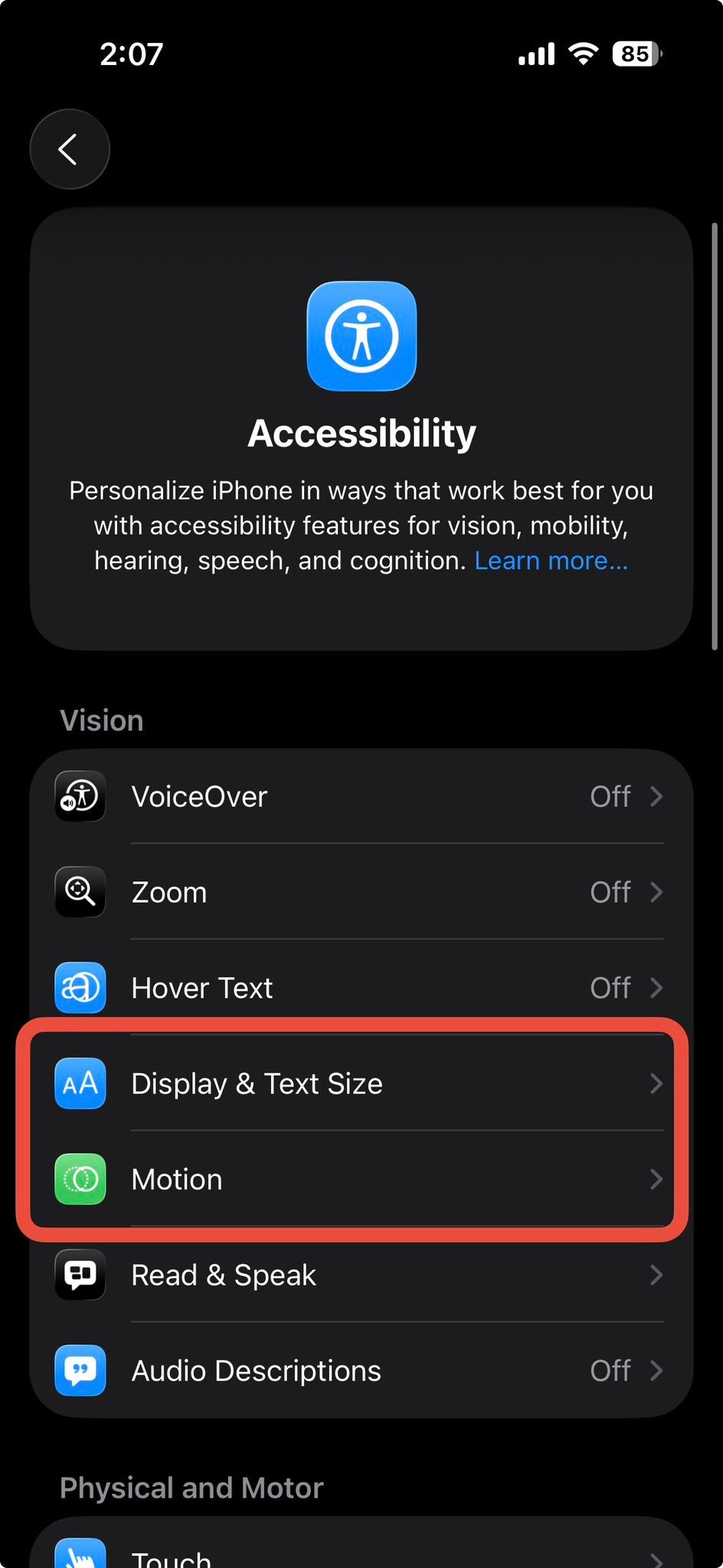
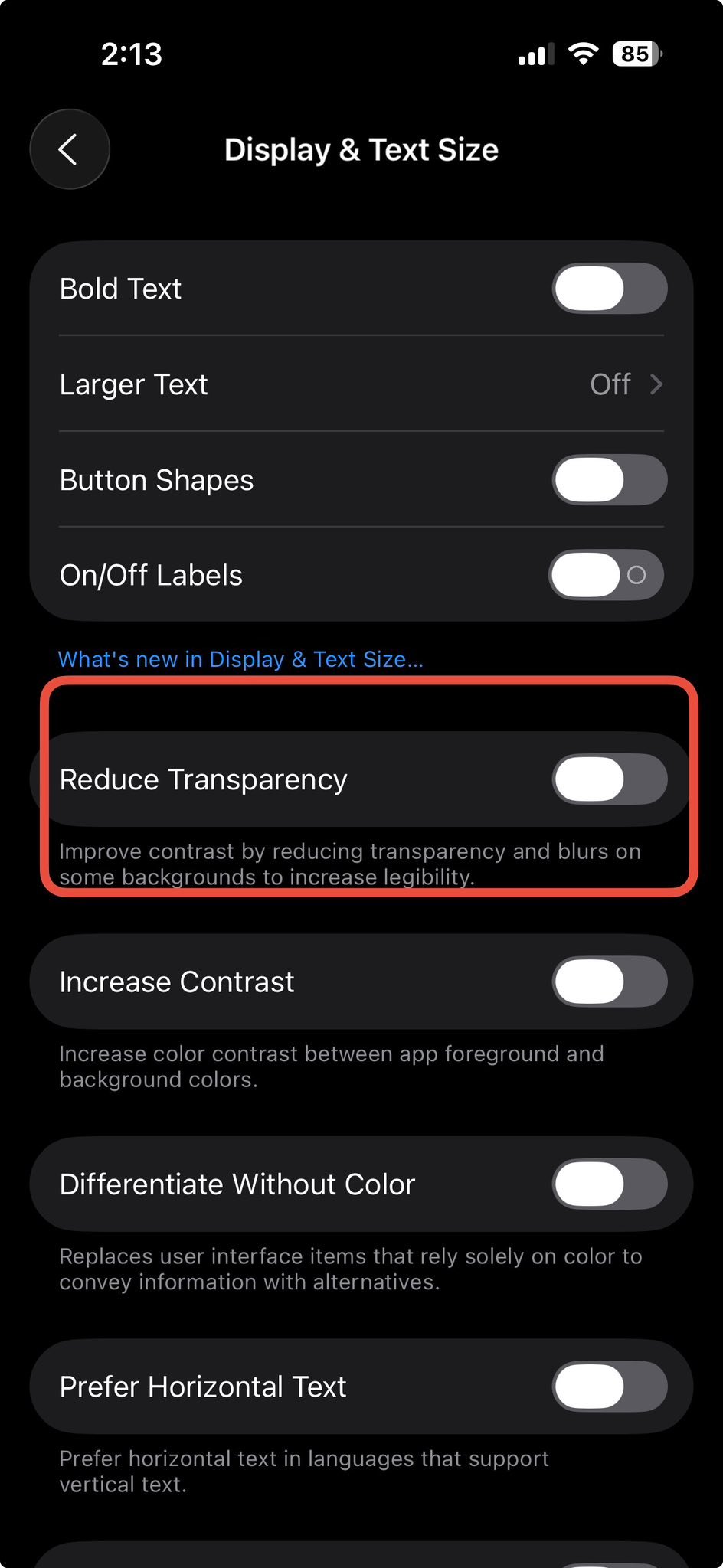
Go to Settings > Accessibility > Display & Text Size.
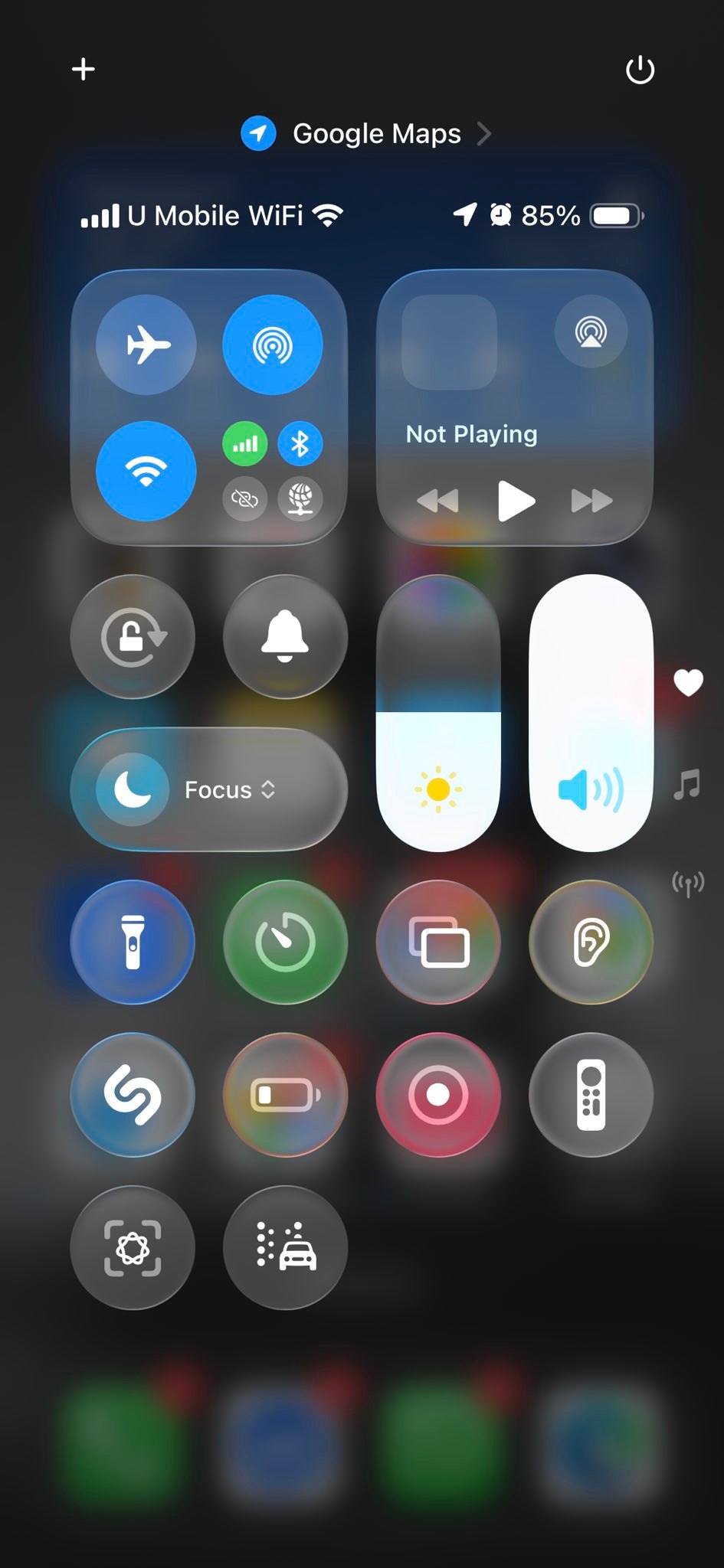
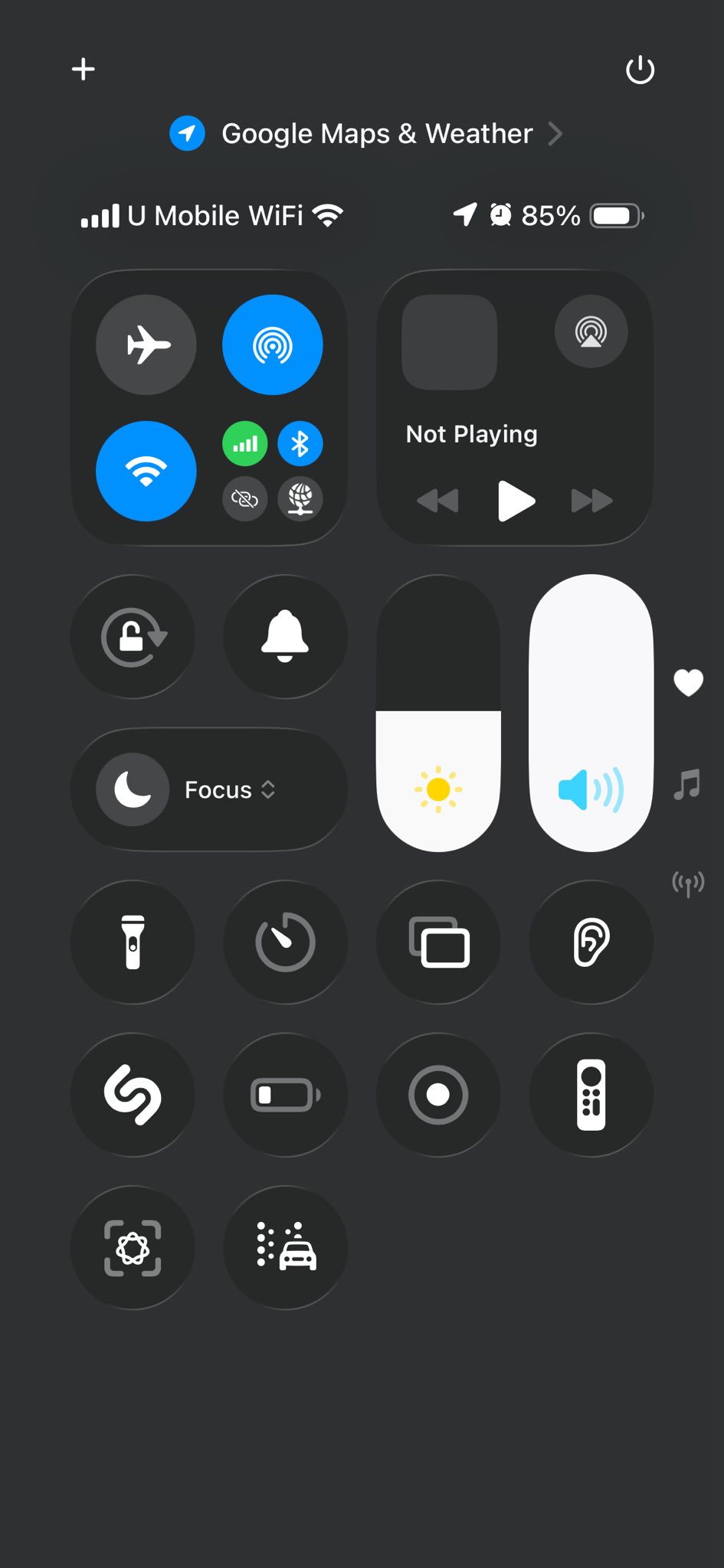
Turn on Reduce Transparency and your icons will look flatter with less jiggly motion.
iOS 26 also changed the default font, so you might want to adjust your font size too 🙂
Hope you learned something new today!! See ya!!