Daily Trivia: Windows/Android Image Information Leak
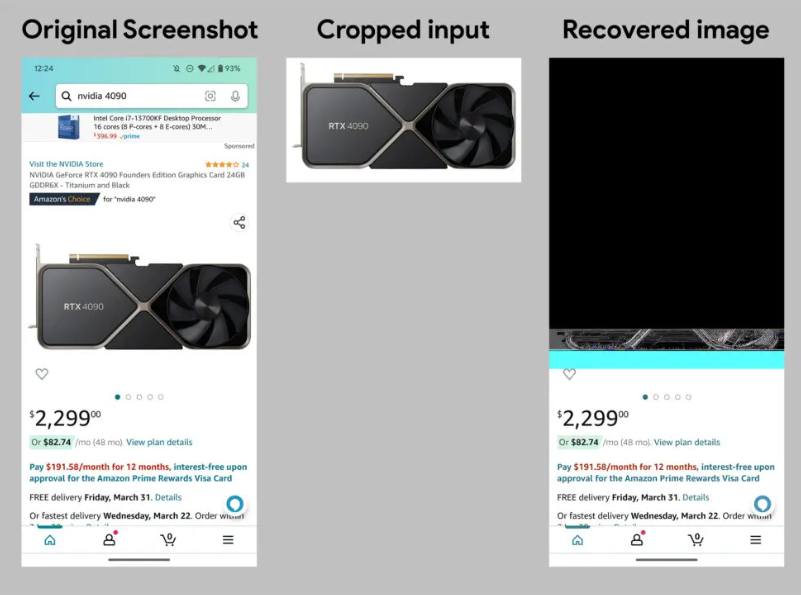
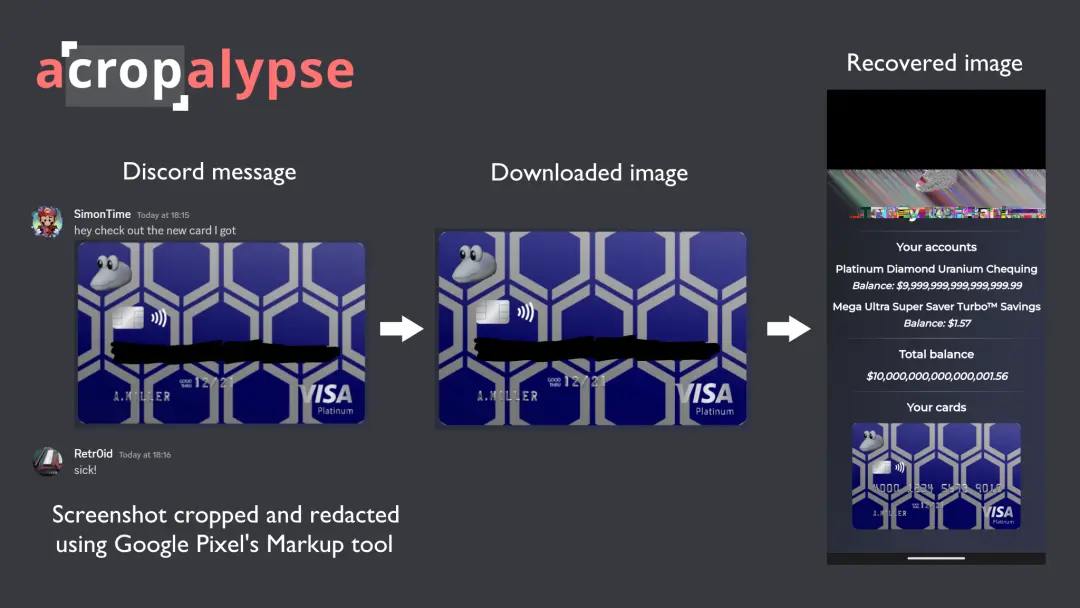
Remember when I mentioned the huge security risk in the Google Pixel photo image edit/markup tool? Well, it turns out that the same issue is also present in the Windows 10/11 default screenshot/snipping tool. Security researcher actually start release tool to 1-click recover your cropped/edited image.
Basically, what happens is that when the photo editing program finishes cropping the picture, it doesn’t delete the original image data. Instead, it overwrites onto the same file. Since edited/cropped images are usually smaller than the original image file, the leftover data is still there and can be read by a hacker.
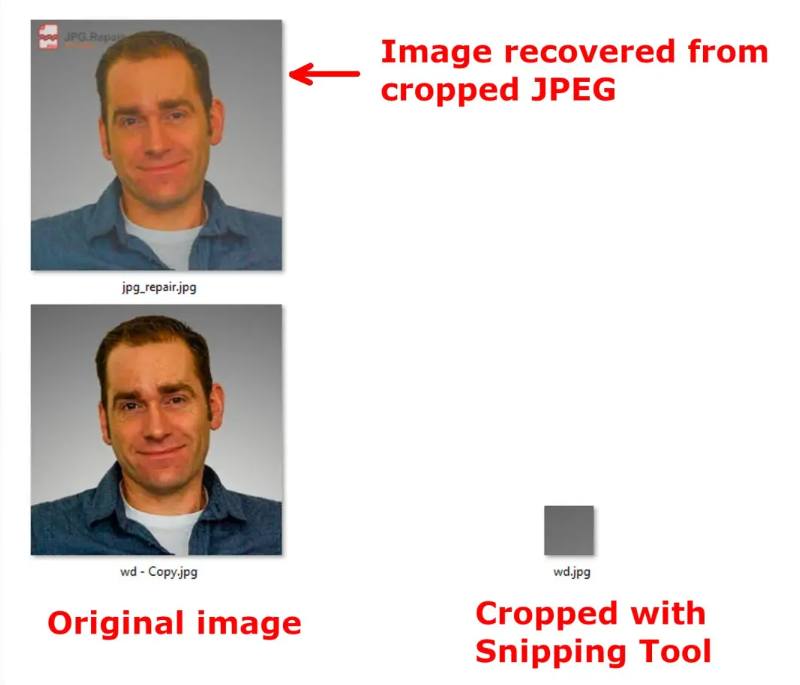
And if you think that’s bad enough, it gets worse. Originally, the security researcher thought this exploit only worked on the PNG file format, which is lossless. But it turns out that it also works on the JPEG file format. So basically, a hacker can use this exploit to recover the original image data from the cropped image. And even more data can be recovered in JPG because the format has a lot of compression and error correction.
To ensure the safety of your data, here’s what you should do:
-
Never share the original image file online (the one that you haven’t cropped/edited straight from the camera).
-
Use ImageOptim to compress your image before sharing it online. It will remove all the metadata and make the image smaller. Windows users can try Caesium Image Compressor.
-
Keep your computer up to date. Microsoft has already released a patch for this exploit. If you’re using Windows 10/11, you can check for updates and install the patch now. Android also fixed the bug earlier.
-
If you’re paranoid, you can always take a screenshot of your edited image and share that instead of the edited image file.
I hope you learned something today!