Daily Trivia - Use iPhone if You Are a Pet Owner
With the new iPhone release coming soon, Apple will push out the updated iOS 17 for all iPhones since the iPhone XR.
There are many cool new features in iOS 17, such as NameDrop and Standby Screen, but if you are a pet owner, these are the features you need to care about:
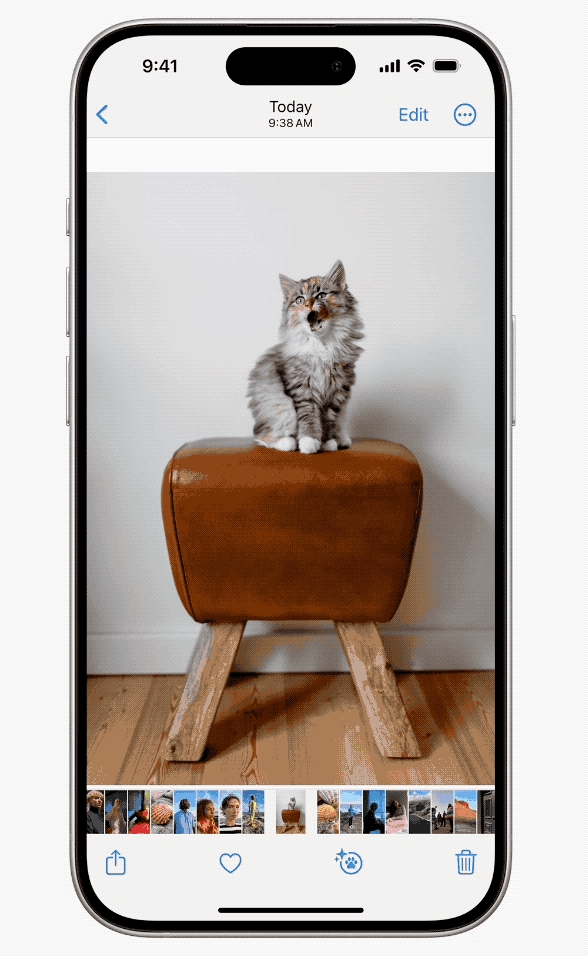
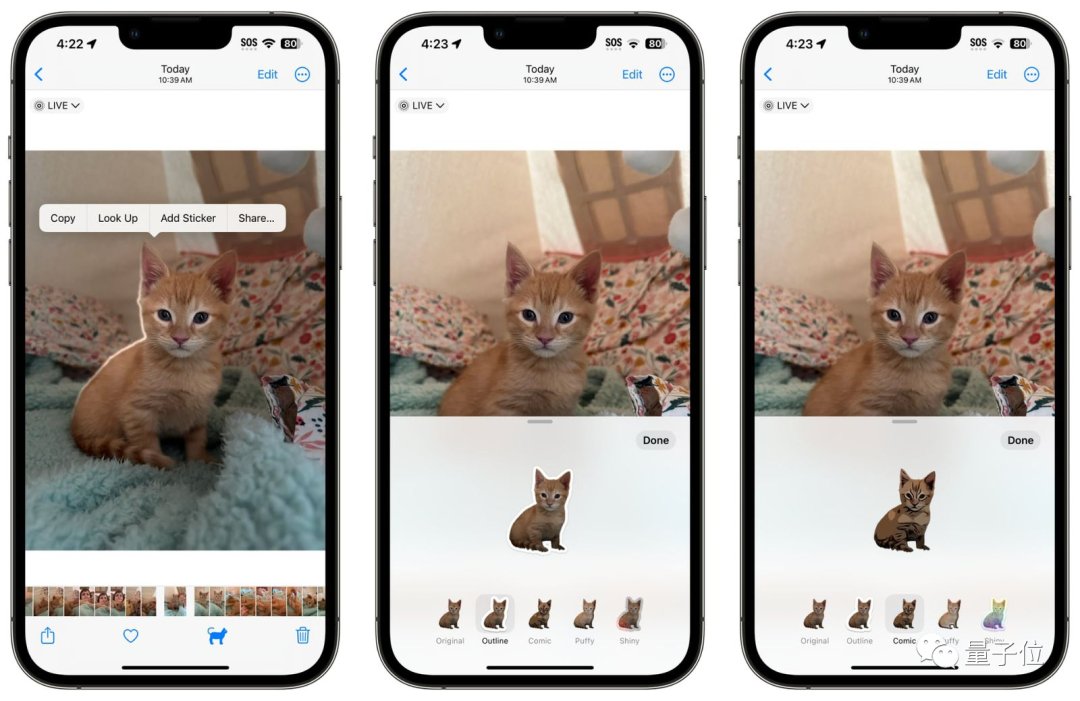
Instant AI cropping that cuts out your pet and turns them into emojis, which you can use anywhere in iOS.
The best part is that if your photo is a LIVE PHOTO, your pet sticker will be animated as well.
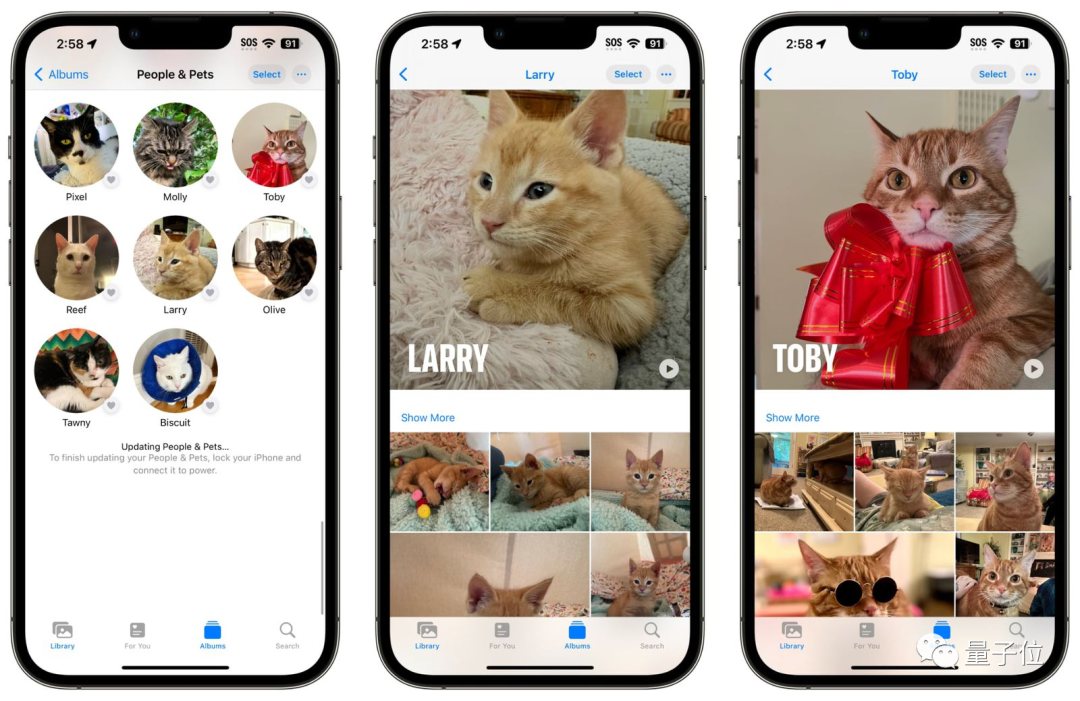
iOS Photo album now includes People & Pets categories. The system automatically detects which pet belongs to whom and puts them into their own personal albums using AI.
For newer iPhones, the portrait mode is now automatically activated when it detects a human face OR a pet’s face in the viewfinder.
This means that for photos taken in portrait mode, you can actually change the focus of the photo to ensure your pet’s face is always in the spotlight.
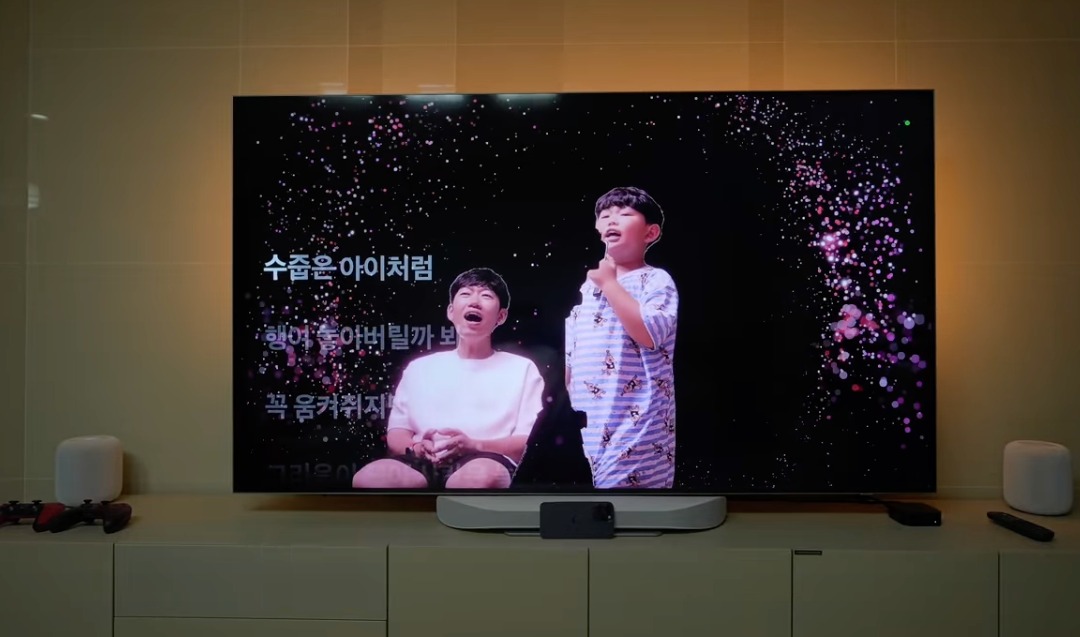
PS: If you have the latest Apple TV, did you know you can pair your iPhone with Apple TV and use it for a Karaoke mode similar to MTV selfies? (YES, there will be lyrics, and you will appear in the background on the TV.)
每日小知识 - 如果您是铲屎官,用iPhone吧
随着新款iPhone即将发布,苹果将为自iPhone XR以来的所有iPhone推出最新的iOS 17更新。
iOS 17有许多很酷的新功能,例如NameDrop和Standby Screen,但如果您是铲屎官,那么您需要关心的就是这些功能:
》 即时AI裁剪出您的宠物并将其变成表情符号,您可以在iOS的任何地方使用。
》最棒的部分是,如果您的照片是一张LIVE PHOTO,您的宠物贴纸也将被动画化。
》iOS照片相册现在包括“人物与宠物”分类。系统会自动检测哪个宠物属于谁,并使用人工智能将它们放入各自的个人相册。
》对于较新的iPhone,当检测到取景器中有人脸或宠物脸时,肖像模式现在会自动启用。
》这意味着对于使用肖像模式拍摄的照片,您实际上可以更改照片的焦点,以确保您的宠物的脸始终处于聚光灯下。
PS:如果您拥有最新的Apple TV,您是否知道您可以将iPhone与Apple TV配对,使用您的手机摄像头进行类似MTV自拍的卡拉OK模式?(是的,将会显示歌词,您将出现在电视的背景中。)