Jin Daily AI Trivia - LLM Model Memory Usage 101
So you bought a Mac mini and want to run local AI. How far can you actually go?
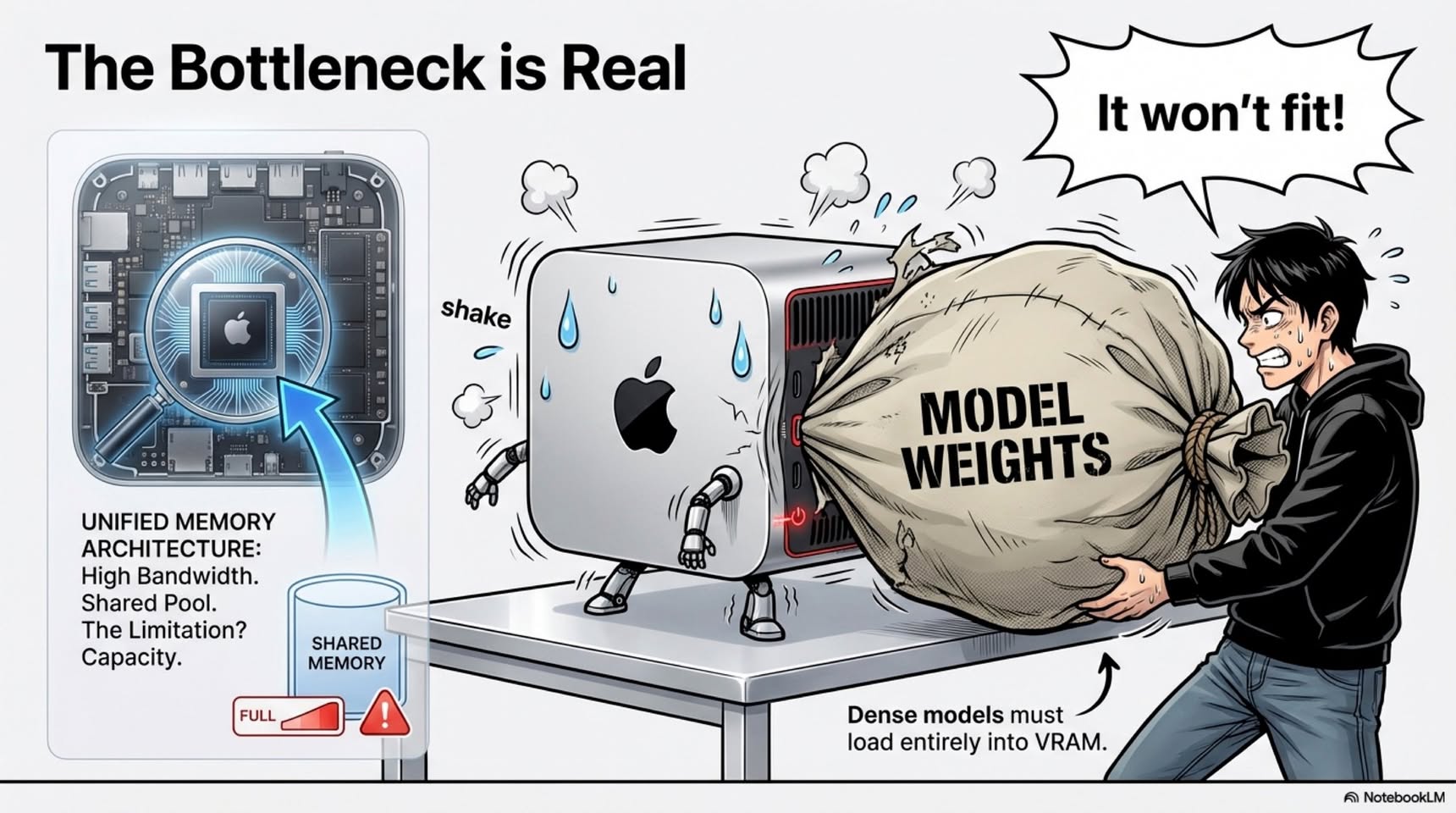
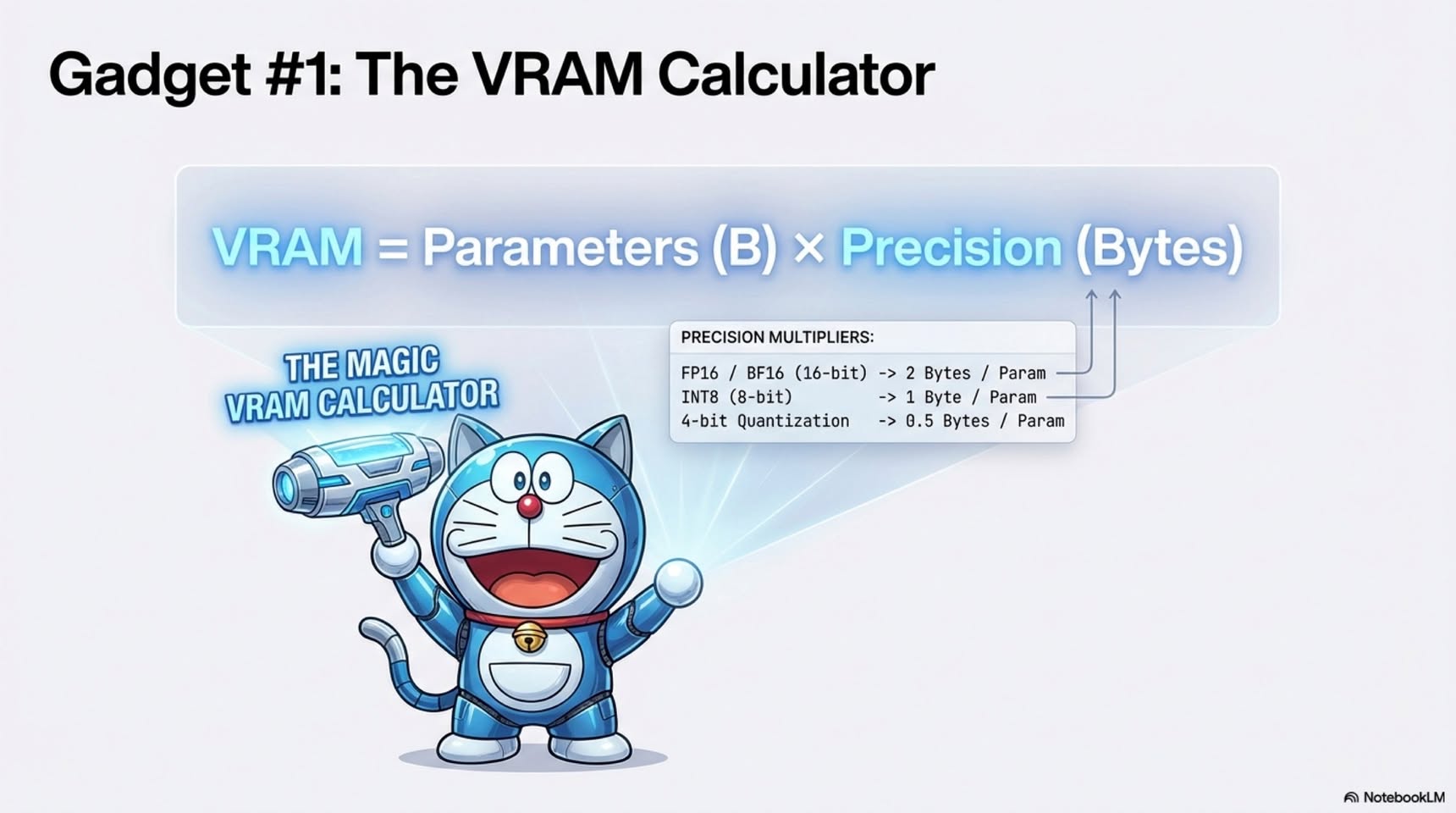
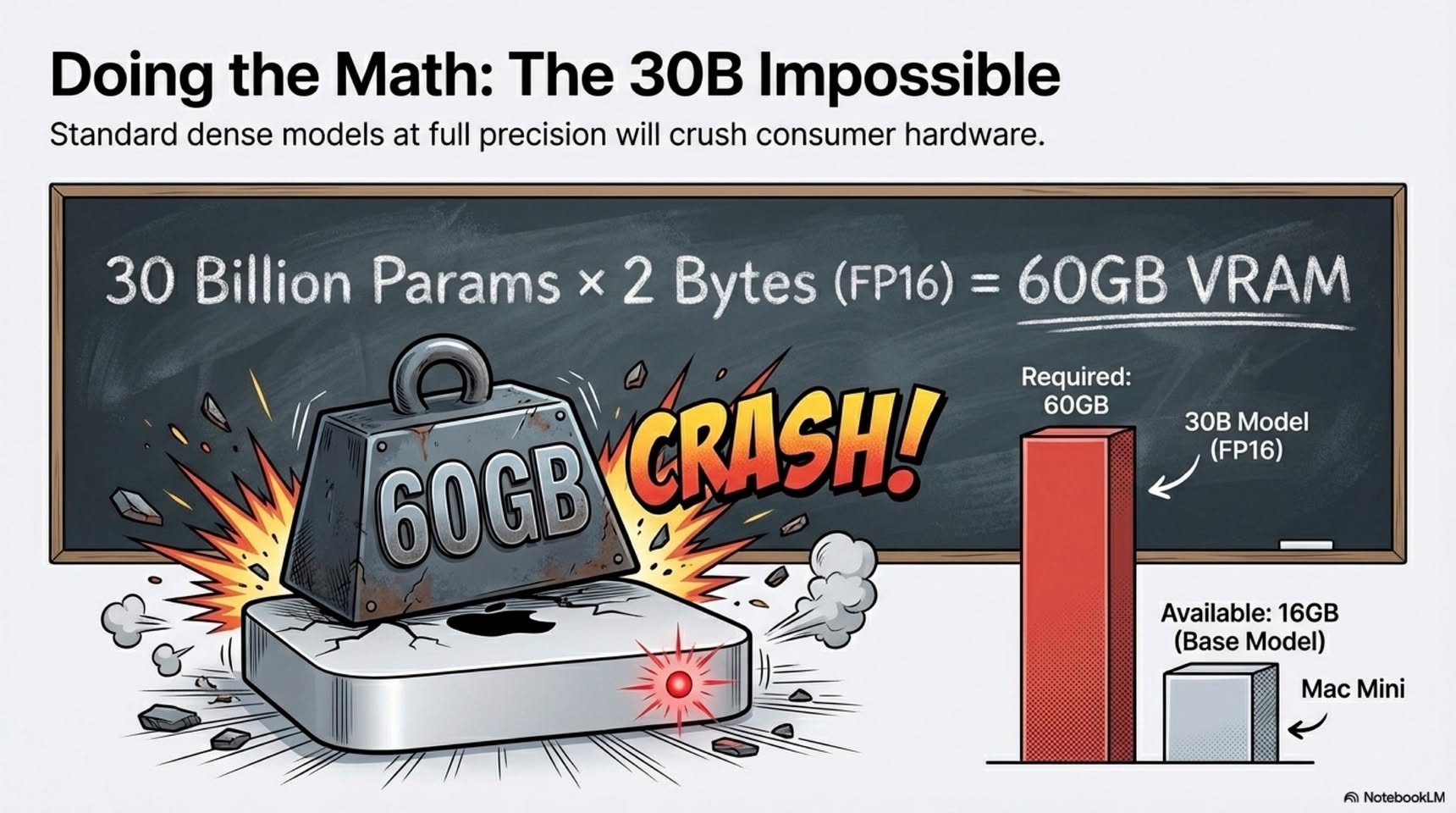
Most modern LLaMA-style LLMs are trained in BF16, where each parameter uses 2 bytes. Even a “small” Qwen3-TTS-0.6B model already needs about 1.2 GB just for weights. On a 16 GB Mac mini, after macOS and apps, you realistically have only 12-13 GB to play with. That makes running a 20B model in full BF16 (around 40 GB) pure fantasy.
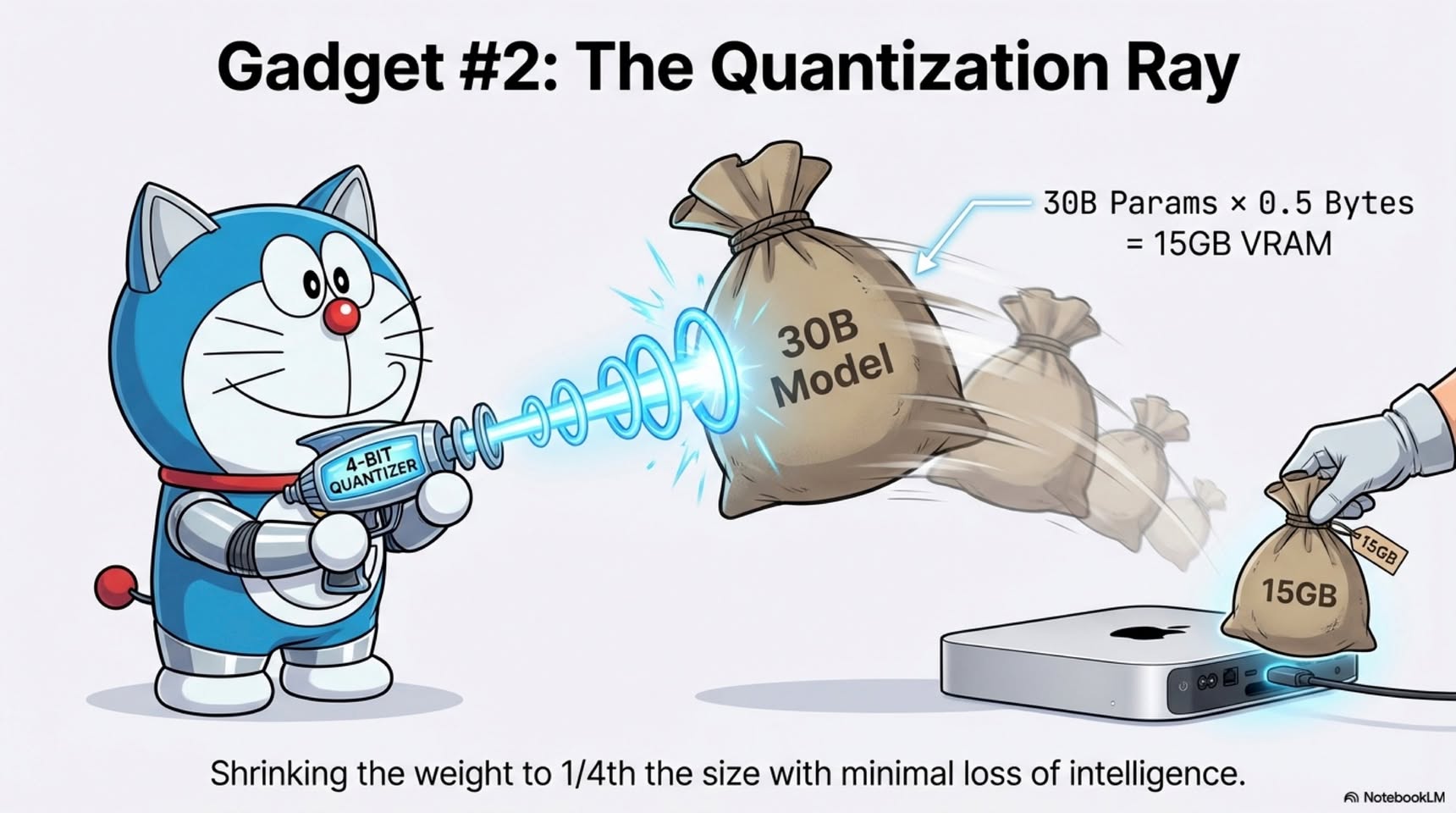
This is where quantization saves the day. Drop precision to FP8 or FP4 and suddenly that same 20B model shrinks from ~40 GB to ~20 GB or even ~10 GB. At that point, it’s barely possible to squeeze it onto a “smol” Mac mini.
But weights are only half the story.
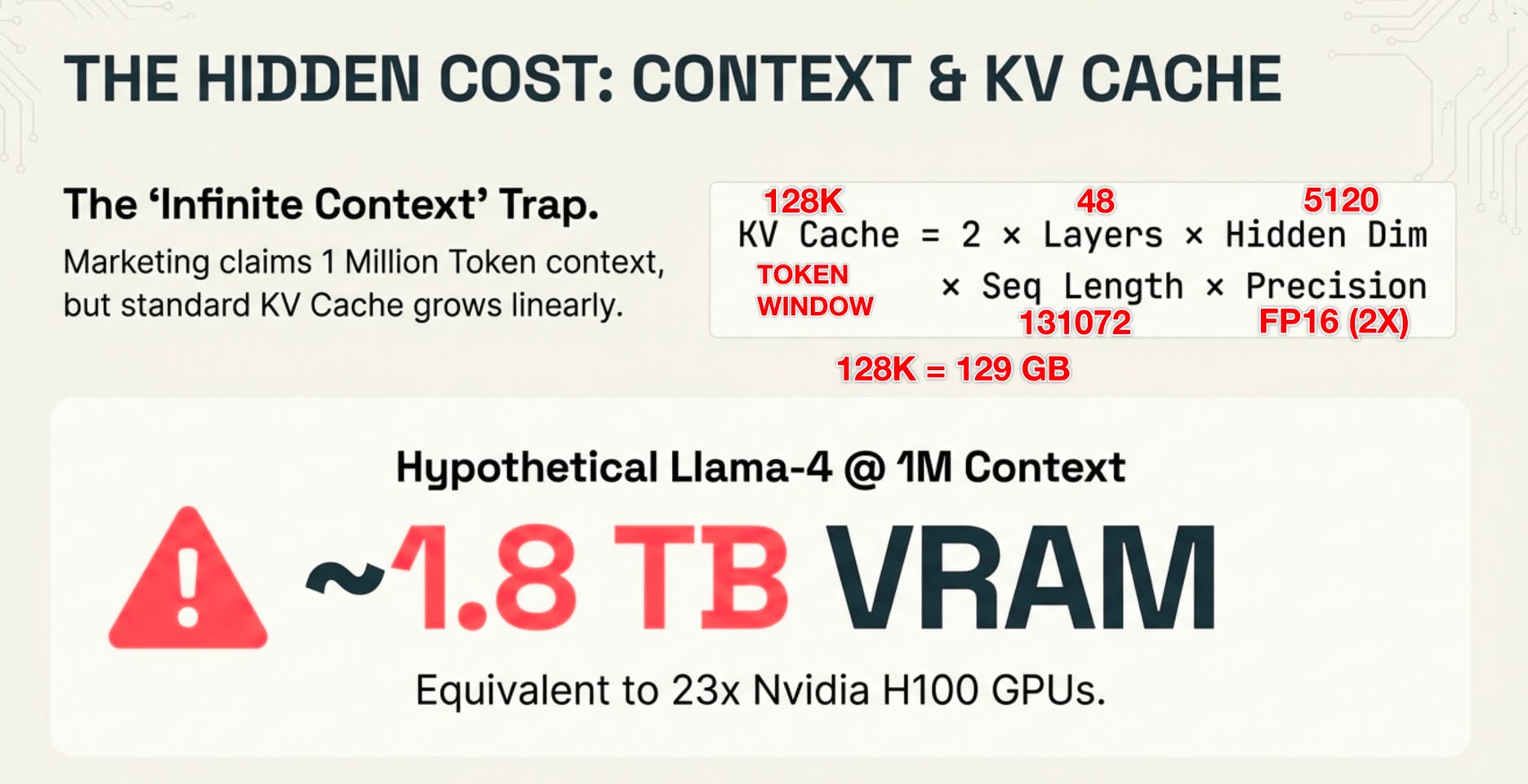
Your context window (for example, 4096 tokens) is how much text the model can see at once, including prompts and chat history. That entire window is stored as KV cache so the model can track relationships between tokens. For a ~20B model, even a 4k context already costs a few hundred MB of extra memory. Push the window to 128k tokens and you are suddenly burning multiple GB just on context alone.
That’s how you blow up a 16 GB Mac mini, even when the quantized model technically fits.
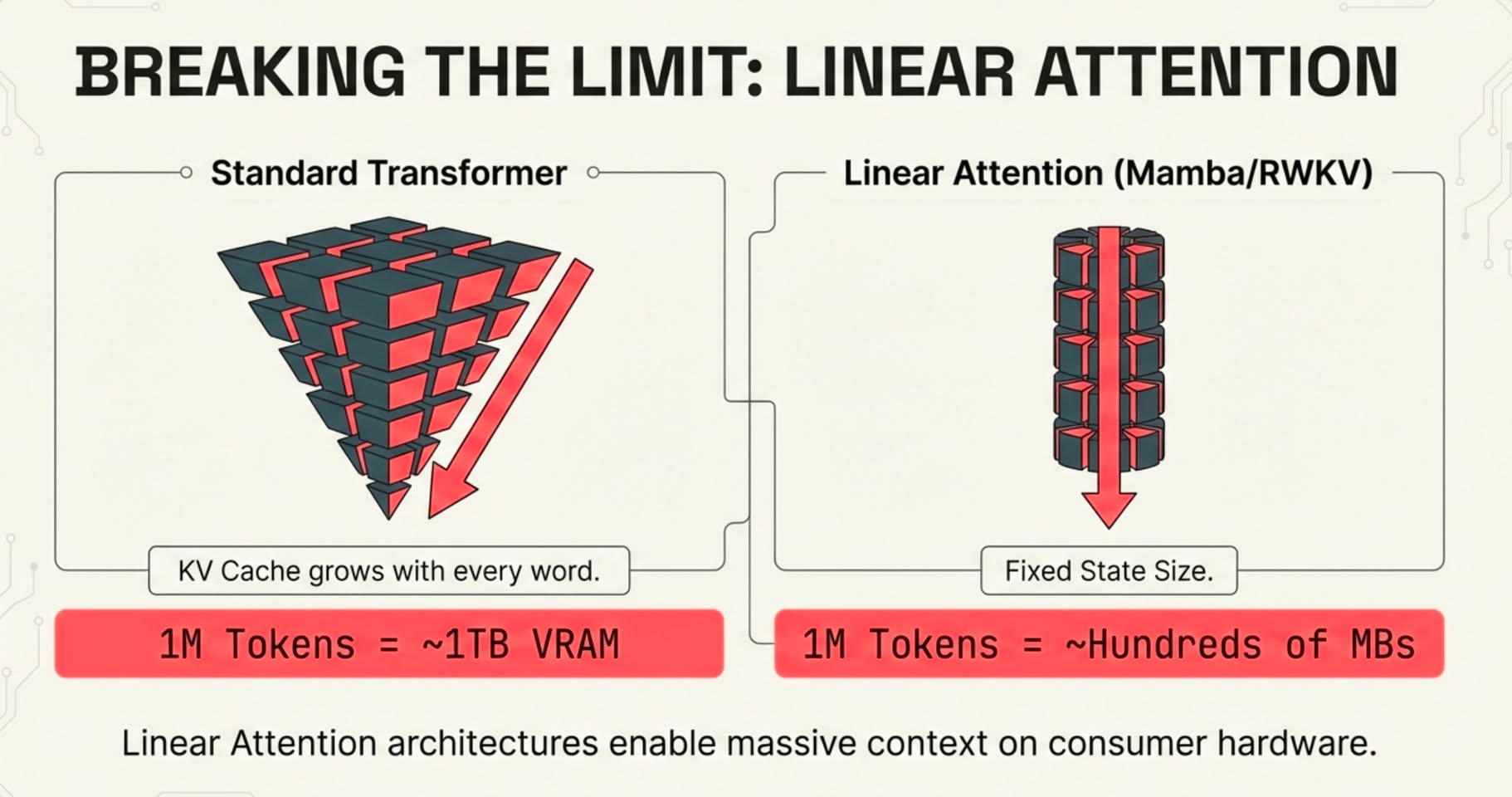
So when someone claims “10M token window on a normal Transformer,” do a quick sanity check and ask where the near-terabyte of RAM is hiding.
How do we escape this?
We go back to the “old religion”: RNN-style sequence models.
Instead of storing every token forever, architectures like Mamba and RWKV keep a rolling state. Memory grows much more gently with sequence length, turning ultra-long context from a “buy more GPUs” problem into an architecture problem.
That’s why million-token windows are still rare in vanilla Transformers, and why only the most hardware-stacked players can casually offer them today.
hope you learn something new today !!
Jin 每日 AI 冷知識 - LLM 大模型 101 入門
所以你買了一台 Mac mini,想跑本地 AI。那實際上你能玩到什麼程度?
大多數現代的 LLaMA 系列 LLM,訓練時使用的是 BF16,一種 16 位元浮點格式,每個參數佔用 2 bytes 記憶體。一個「小型」的 Qwen3-TTS-0.6B 模型,用 BF16 光是模型權重就已經需要大約 1.2 GB 的 VRAM,還沒算 KV cache。
在一台 16 GB 的 Mac mini 上,扣掉 macOS 和背景程式後,實際可用的記憶體大概只有 12-13 GB。這代表一個完整 BF16 的 20B 模型(約 40 GB)在本地跑,基本就是幻想。
關鍵技巧在於量化(quantization)。把精度降到 FP8 或 FP4,每個權重就只剩 1 byte,甚至 0.5 byte。於是 GPT-OSS-20B 會從約 40 GB(BF16),縮到約 20 GB(FP8),再到約 10 GB(FP4)。到這一步,它才「勉強」能被塞進那台小小的 Mac mini。
接下來聊聊 context window(上下文視窗)。
你的 context window(例如 4096 tokens)代表模型一次能看到多少文字,包含 system prompt、對話歷史等等。4096 tokens 大概相當於幾頁 A4 文字。整個視窗會以 KV cache 的形式存在 Transformer 裡,讓模型能追蹤每個 token 之間的關係。
額外的記憶體成本大約是:
2 ×(層數)×(hidden size)×(token 數量)×(每個參數的 bytes)
假設一個約 20B 的 Transformer,有 24 層、hidden size 為 2880,權重使用 FP4(每個值約 0.5 byte)。在 4096 tokens 的情況下,光是 KV cache 就要吃掉好幾百 MB(這個例子大約是 270 MB),而且這還是在模型本體之外。
如果把 context window 拉到 128k tokens,KV cache 立刻進入多 GB 等級,單是上下文就要好幾 GB。就算量化後的權重「理論上」塞得下,同一台 16 GB 的 Mac mini 也會直接爆掉。
所以當有人說「普通 Transformer 有 1000 萬 token 視窗」時,你腦中可以直接算一下,然後問一句:那接近 1 TB 的 RAM 是藏在哪?
那要怎麼解决這個問題?
答案是回歸「AI 舊模式」:RNN 類型的序列模型。
不像 Transformer 要永遠保存每個 token 的 KV,像 Mamba、RWKV 這類架構只維持一個滾動狀態。它們只把前一步真正重要的資訊帶到下一步,必要時還會一路做摘要。這樣就能避免巨大的 KV cache,讓記憶體成長更接近線性,超長上下文不再是「超大型GPU VRAM」的問題,而是架構設計的問題。
這也是為什麼在原生 Transformer 模型裡,百萬 token 視窗仍然很罕見,也為什麼目前只有硬體資源堆滿的公司,才能輕鬆提供這種等級的能力。